
⚡ Dynamic Malware Analysis
Observe suspicious software in action and uncover behaviors that cannot be discovered through static analysis alone.
🚨 Analysis Session Started
Sample:
Invoice_Update.exe
Analysis Environment:
Isolated Lab
Status:
Execution Authorized
Investigators are now monitoring behavior.
📖 What Is Dynamic Analysis?
Dynamic analysis involves observing software while it executes inside a controlled environment.
Run It
Watch It
Understand It
The goal is to safely observe behavior without exposing real systems.
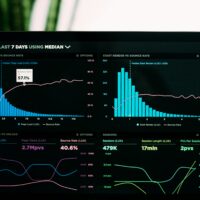
📊 Analyst Dashboard
⬇️ File Activity
⬇️ Network Activity
⬇️ System Changes
⬇️ Threat Assessment
⚙️ What Analysts Monitor
- Process Creation
- Parent-Child Relationships
- Resource Usage
- Application Behavior
- Unexpected Activity
Process activity often provides the first signs of suspicious behavior.
📂 File System Activity
Investigators monitor:
- File Creation
- File Deletion
- File Modification
- Directory Changes
Changes to the file system may indicate persistence or other malicious objectives.
🌐 Network Behavior
Network monitoring can reveal:
- External Connections
- DNS Requests
- Unexpected Communications
- Data Transfers
Many malware families eventually communicate across the network.
🗄 System Changes
Analysts watch for:
- Configuration Changes
- Startup Modifications
- New Services
- Persistence Indicators
These changes may reveal long-term objectives.
📅 Behavior Timeline
| 00:00 | Program Starts |
| 00:05 | New Process Created |
| 00:12 | File Activity Detected |
| 00:25 | Network Connection Observed |
| 00:40 | Persistence Indicators Found |
Dynamic analysis helps build a complete behavioral timeline.
🛠 Dynamic Analysis Toolkit
- Process Monitor
- Process Explorer
- Wireshark
- Sysmon
- TCPView
- Sandbox Platforms
These tools help analysts observe behavior in real time.
✅ Why Dynamic Analysis Matters
- Reveals Runtime Behavior
- Identifies Network Activity
- Detects Persistence Attempts
- Supports Incident Response
- Improves Threat Intelligence
Behavior often exposes intent more clearly than file inspection alone.
⚠ Analysis Challenges
- Some malware delays activity
- Some malware detects analysis environments
- Behavior may change over time
- Not all actions appear immediately
Analysts must interpret observations carefully.
🏆 Analysis Summary
The sample appeared harmless during static review.
Dynamic analysis revealed suspicious behavior patterns.
Files Reveal Clues
Behavior Reveals Intent
🏝 Malware Sandboxing
Discover how security teams safely isolate suspicious software and investigate threats without exposing production systems to risk.


Recent Comments